
Custom FeatureScript
Custom features
Onshape’s FeatureScript language can unlock huge productivity gains, letting you expand the core software to meet your specific needs and preferences. These original custom features are open source and free to the Onshape community to use, duplicate, and modify.
Feature catalog
46 features shown
Freeform Spline
Create 3D spline geometry with options for referencing points, edges, and faces.
Captive Nut
Add captive pockets to place nuts, automatically sized to fit the nut you specify.
Optics
Lay out optical paths and reference geometry for lens, mirror, and beam workflows.
Face Curves
Extract useful curve references from selected faces.
3D Points
Create points in space with options for referencing points, edges, and faces.
Keep Face
The inverse of Delete Face.
Attractor Pattern
Generate fading hole or texture patterns on parts.
Speaker Pattern
Generate speaker-style perforation patterns with custom controls.
Pan Pipe
Generate pan pipe geometry from controlled inputs.
Twisted Torus
Create torus geometry with controllable twist.
Sphere
Add a parametric ellipsoid primitive.
Torus
Add a parametric torus primitive.
Cube
Add a parametric cuboid primitive.
Prism
Add a parametric n-sided prism primitive.
Grid Extrude
Extrude patterned grid regions quickly from selected geometry.
Approximate Centroid
Create a practical centroid reference from selected geometry.
Selection Fillet
Apply fillets using parametric selection logic.
Selection Draft
Apply draft using parametric selection logic.
Import 3D File
Import multiple files into a part studio.
Linear Pattern Plus
Extend the standard linear pattern idea with more flexible behavior.
Cap Surface
Close open surface regions with a generated cap.
Manufacturing Variables
Automatically set variables relevant for DFM, like nominal wall, rib thickness, draft angles, and more.
Part Name
Drive part names and part numbers with logic from multiple configuration inputs.
Stellate
Facet planar faces to create sculptural geometry.
Wireframe
Turn selected geometry into a wireframe-style result.
Multi-mirror
Mirror geometry across multiple references in one feature, merging parts only to themselves.
Wire
Create wire geometry sized to AWG standards, with color options and a table of wire lengths.
Profile Sweeper
Sweep a quick circle or reused profile stored in an external library.
Part Color
Apply part colors in more ways than the native color picker, including colors based on logic.
Composite Everything
Bundle broad selections into composite parts quickly.
Split Edge by Points
Split edges at selected point locations, with options for referencing points, edges, and faces.
Mesh Copy and Split
Create a sub-section of a mesh without modifying the original.
Mesh Project Curve
Like the native Project Curve feature, but for meshes.
Mesh Intersection Curve
Like the native Intersection Curve feature, but for meshes.
3D Printed Hole
Automatically convert holes to a teardrop shape to improve printability based on an overhang angle.
Cone
Add a parametric cone primitive.
Ripples
Add ripple-like texture or surface detail.
Thin Extrude Network
Create thin extrusions from connected sketch or curve networks.
Bridge Layer
Create a single layer of material to bridge over holes in 3D prints, so it can be cleaned out later with a hobby knife.
Displacement Map
Turn an image into height data to create textured 3D geometry.
Drape Surface
Drape surface geometry across target forms to reverse engineer meshes or create a clean surface from several patches.
Shapes
Quickly create rotationally symmetrical shapes like stars, polygons, and scalloped circles.
Spline on Mesh
Draw a spline directly on a mesh.
Extract Mesh Points
Extract usable point references from mesh geometry.
Copy Mesh Face
Copy selected mesh faces into reusable geometry.
Regen Timer
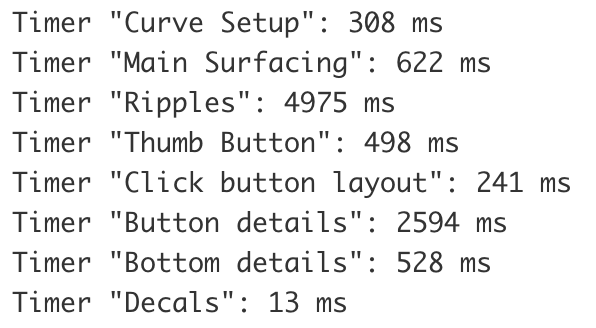
Measure regeneration time of individual sections of your feature tree to dial in performance.
No features match your search or filters. Try a broader search or fewer tags.